

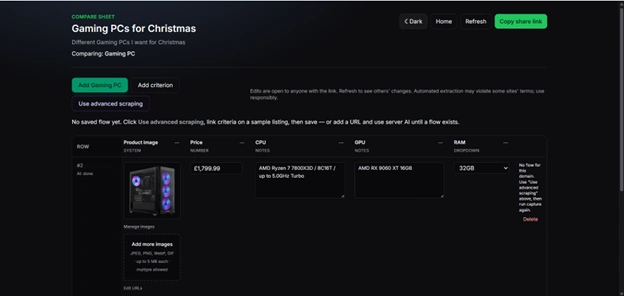
QuickCompare helps you compare options side by side without wrestling with a generic spreadsheet. You might be choosing holiday cottages, kitchen gadgets, software tools, or anything else you find online — you set up a compare sheet with the details that matter to you, add each option as a row, and see everything in one clear table.
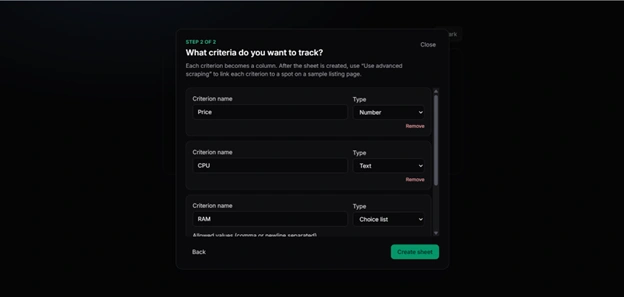
Getting started is straightforward. You give your sheet a name, a short description for anyone you share it with, and say what you are comparing. Then you list the criteria you care about — nightly price, pet-friendly, distance to town, and so on. Each criterion becomes its own column. You can use simple types like numbers, yes/no, choice lists, links, images, and free-form notes.
When you are ready, you paste a link to a listing page for each option. QuickCompare can try to pull information from that page into your columns, so you do not have to retype everything. When a site is tricky or the automatic fill misses something, you can still edit any cell by hand.
Sharing is built in: you get one link to the whole sheet. Anyone with that link can view and edit the same comparison, which makes it easy to research with a partner, family, or friends. It is not a live, always-in-sync document — refresh the page to see what others have changed — but it is simple and does not require accounts or invites.